Hand-drawn animation without the clutter
Pencil2D, developed by the Pencil2D community, is a free, open-source 2D animation software for traditional hand-drawn work. It focuses on frame-by-frame animation, giving users a clean workspace for sketching, inking, and painting without the clutter of heavier animation suites. Beginners, students, and hobbyists get an accessible way to learn timing, motion, and drawing fundamentals.
Top Recommended Alternative
Draw it rough, clean it up later
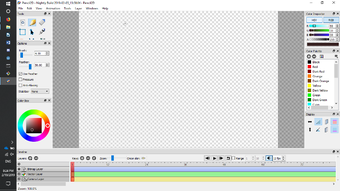
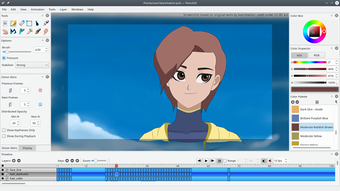
Pencil2D supports both bitmap and vector layers inside the same project, letting artists move from rough pixel sketches to cleaner scalable lines without changing tools. Graphics tablet support helps drawing feel more natural, though pressure behavior can depend on the device and setup. Layer visibility and stacking also make it easier to separate rough passes from polished artwork during repeated frame edits.
Frames, sound, and motion without the maze
The timeline arranges layers, keyframes, and a dedicated sound track so drawings can line up with audio cues and playback. Onion skinning shows nearby frames, which helps with in-betweening and smoother movement. Camera layers support basic pans and zooms, while export options include animated GIF, MP4, AVI, WebM, APNG, and image sequences for finished or test animations.
Light enough to stay out of the way
Pencil2D is distributed under the GNU General Public License and maintained by volunteer contributors, keeping its source code and development public. Cross-platform builds support common desktop systems, which helps with project portability. Its modest system demands make it practical for less powerful setups and learning environments, though its simple toolset does not aim for advanced rigging, automated tweening, or effects-heavy production work.
A sketchbook with a timeline
As a practice-oriented toolkit for learning timing and linework, Pencil2D provides a focused space for drawing cycles, short animated scenes, and quick visual tests with minimal setup. Its lightweight design and hand-drawn animation workflow make it approachable, while the lack of advanced production tools keeps it better suited to learning, sketching, and small projects than complex studio pipelines.



.png)